SASSA Appeal 2026 — How to Appeal a Declined SRD R370 Grant Online
⚠️ Disclaimer: sassaguide.com is an independent information website. We are NOT affiliated with SASSA or the South African Government. For official services, visit srd.sassa.gov.za.
If your SASSA SRD R370 grant was declined, you have the right to appeal within 90 days. Many declines are caused by outdated records or system mismatches — not because you actually disqualify. This guide walks you through the entire appeal process: checking your decline reason, gathering the right documents, submitting the appeal online, tracking your appeal status, and what happens if the appeal is approved or declined.
SASSA Appeal Document Checklist
Select your decline reason to see exactly what documents you need and a ready-to-use appeal motivation
- What Is a SASSA Appeal?
- Before You Appeal: Check Your Decline Reason
- All Decline Reasons and What Documents You Need
- How to Submit a SASSA Appeal Online (Step-by-Step)
- How to Write a Strong Appeal Motivation
- Sample Appeal Motivations by Decline Reason
- How to Check Your SASSA Appeal Status
- What Happens After Your Appeal
- Comparison Table: Decline Reasons at a Glance
- Common Appeal Mistakes to Avoid
- Tips for a Successful SASSA Appeal
- FAQs
- Final Thoughts
What Is a SASSA Appeal?
A SASSA appeal is a formal request to have a declined SRD grant decision reviewed. When you appeal, your case is not reviewed by SASSA itself — it goes to the Independent Tribunal for Social Assistance Appeals (ITSAA), which operates under the Department of Social Development. ITSAA reviews your evidence against the government databases that flagged you (Home Affairs, SARS, UIF, NSFAS, and banking records) and makes an independent decision.
You have 90 days from the date of the decline to submit an appeal. Appeals submitted after 90 days are rejected automatically. Submitting within 30 days is strongly recommended — ITSAA backlogs grow significantly after payment dates, and earlier appeals are processed faster.
Key facts about SASSA appeals:
- Appeals are completely free. Never pay anyone to submit an appeal on your behalf.
- Each declined month must be appealed separately. Approval for one month does not cover other months.
- You can appeal online — no need to visit a SASSA office.
- ITSAA typically takes 60 to 90 days to process an appeal.
- If successful, you receive backpay for every approved month.
Before You Appeal: Check Your Decline Reason
Before submitting an appeal, you need to know the exact reason your application was declined. The reason code determines which documents to gather and how to write your appeal motivation.
How to Find Your Decline Reason
- Go to srd.sassa.gov.za/sc19/status.
- Enter your 13-digit ID number and registered phone number.
- Click Submit.
- Find the month that shows “Declined” — the reason code will be displayed next to it.
Write down the exact wording of the reason. You will need it when selecting your appeal category on the portal.
If you are unsure what your decline reason means, use the SASSA Status Error Lookup Tool on our status check page — it explains every reason code and tells you whether it is appealable.
All Decline Reasons and What Documents You Need
This is the section no other guide gets right. Each decline reason requires specific documents. Submitting the wrong proof — or no proof at all — is the main reason appeals fail. Here is exactly what to prepare for each reason.
“Alternative Income Source Identified” / “Means Income Source Identified”
What it means: SASSA’s bank screening found deposits above R628 in your account.
Documents needed:
- 3 months of bank statements (the declined month plus the two months before it)
- If the deposit was a family transfer: a brief written explanation stating who sent the money, why, and that it was a once-off gift — not regular income
- If you are self-employed and earned under R628: a sworn affidavit confirming your monthly income is below R628
Tip: The Twala court ruling established that once-off family transfers should not count as income. Reference this in your motivation if applicable.
“UIF Registered”
What it means: Your ID appears on the Unemployment Insurance Fund database, even though you may not be receiving UIF payments.
Documents needed:
- A letter from the Department of Employment and Labour confirming you are NOT an active UIF recipient (visit your nearest office to request this)
- 3 months of bank statements showing no UIF deposits
- If your former employer never deregistered you: a termination letter or last payslip showing the employment end date
This is the most common false-positive decline and has the highest appeal success rate. The UIF confirmation letter is your strongest piece of evidence.
“NSFAS Registered”
What it means: You are on the NSFAS database as a current or recent student financial aid recipient.
Documents needed:
- A letter or statement from NSFAS confirming your funding has ended or your account balance is R0
- If you completed your studies: proof of completion (certificate or academic record)
“Government Payroll”
What it means: Your ID was found on PERSAL (national/provincial payroll) or a municipal payroll system.
Documents needed:
- Termination letter from your former government employer
- Last payslip showing the end date of employment
- If the employer never removed you from the system: a sworn affidavit confirming you are no longer employed, plus any correspondence with the employer requesting removal
“Existing SASSA Grant”
What it means: You are receiving another SASSA grant (Disability, Child Support, Older Person’s, etc.).
Documents needed:
- If your other grant has ended: proof from SASSA showing the grant was terminated (call 0800 60 10 11 to request this)
- If the system is outdated: call SASSA to update your records before appealing
Note: If you are currently receiving another SASSA grant, you cannot receive SRD at the same time. An appeal will not succeed in this case.
“Identity Verification Failed”
What it means: Your personal details do not match the Department of Home Affairs records.
Documents needed:
- Certified copy of your smart ID card or green barcoded ID
- If you recently changed your details at Home Affairs: proof of the update (receipt or reference number from Home Affairs)
Important: Fix the mismatch at Home Affairs first, then wait 7–14 days for the systems to sync before submitting your appeal. Appealing while the mismatch still exists will result in a declined appeal.
For the full eKYC fix process and what each identity-related status actually means, see our Identity Verification guide.
“Age Eligibility”
What it means: You are under 18 or over 60.
Can you appeal? No — this is a fixed criterion verified from your ID number. If you are over 60, apply for the Older Person’s Grant (R2,400/month) at your nearest SASSA office instead.
“Duplicate Application”
What it means: More than one SRD application is linked to your ID number, which causes the system to flag and decline it until the duplication is resolved.
What to do: Call 0800 60 10 11 to confirm which application is officially linked to your ID and request that the duplicate be removed. Once resolved, you can appeal the affected month if it’s still within the 90-day window.
“Banking Detail Mismatch”
What it means: The bank account linked to your SRD application doesn’t match the name on your ID — SASSA requires the account to be in your own name.
Documents needed:
- Proof of a bank account held in your own name
- Updated banking details submitted at srd.sassa.gov.za, ideally before or alongside your appeal
How to Submit a SASSA Appeal Online (Step-by-Step)
The entire process takes about 10–15 minutes. You need: your 13-digit ID number, your registered cellphone number, and your supporting documents in PDF or JPEG format on your phone or computer.
Step 1: Check Your Decline Reason First
Go to srd.sassa.gov.za/sc19/status and note the exact decline reason and the month it applies to. This determines your appeal category and documents.
Step 2: Open the Official Appeal Portal
Go to srd.sassa.gov.za/appeals/appeal in your browser. This is the only official appeals portal. Do not use any other website.
Step 3: Enter Your ID and Phone Number
Type your 13-digit South African ID number and the cellphone number registered on your SRD application. These must match exactly.
Step 4: Verify with OTP
Click “Send PIN.” SASSA will send a one-time PIN to your registered phone. Enter it on the appeal page to verify your identity.
Step 5: Select the Declined Month
Choose the specific month you want to appeal. If multiple months were declined, you must submit a separate appeal for each month.
Step 6: Select Your Appeal Reason
Choose the reason that matches the decline code shown on your status page. Be honest — submitting a false reason can lead to permanent disqualification.
Step 7: Write Your Appeal Motivation
This is a free-text field where you explain why you believe the decline was incorrect. Keep it short, specific, and factual. See the sample motivations in the next section.
Step 8: Upload Supporting Documents
Attach the documents listed for your specific decline reason above. Upload files in PDF or JPEG format. Make sure they are clearly scanned and legible.
Step 9: Review and Submit
Double-check your ID number, the month selected, and all uploaded files. Click Submit.
Step 10: Save Your Reference Number
After submitting, you will receive a reference number. Screenshot it or write it down — you need it to track your appeal status. You will also receive an SMS confirmation.
How to Write a Strong Appeal Motivation
Your appeal motivation is the free-text explanation you type into the appeal form. This is your chance to tell ITSAA exactly why the decline was wrong. A strong motivation is:
- Specific — name the exact decline reason and explain why it is incorrect
- Factual — state dates, amounts, and sources clearly
- Short — 3 to 5 sentences is enough
- Supported by proof — reference the documents you uploaded
Do not write a general plea (“I am poor and need the money”). ITSAA reviews facts, not circumstances. Address the specific reason code.
Sample Appeal Motivations by Decline Reason
For “Alternative Income Source Identified” (family transfer)
“My SRD grant for [Month] 2026 was declined because an alternative income source was identified. The deposit flagged in my bank account was a once-off transfer of R[amount] from my [mother/sister/family member] on [date] to help with [food/transport/emergency]. This was not regular income or employment earnings. I have attached 3 months of bank statements showing no other deposits above R628. I am currently unemployed with no source of income.”
For “UIF Registered” (not receiving UIF)
“My SRD grant for [Month] 2026 was declined because the system shows me as UIF registered. I am not receiving any UIF payments. I was previously employed at [company name] but left on [date]. My former employer did not deregister me from UIF. I have attached a confirmation letter from the Department of Employment and Labour confirming I am not an active UIF recipient, along with 3 months of bank statements showing no UIF deposits.”
For “NSFAS Registered” (no longer a student)
“My SRD grant for [Month] 2026 was declined because of NSFAS registration. I completed my studies in [year] and am no longer receiving NSFAS funding. I have attached a statement from NSFAS confirming my funding has ended, as well as my academic completion certificate.”
For “Government Payroll” (contract ended)
“My SRD grant for [Month] 2026 was declined because the system shows me on a government payroll. My contract with [department name] ended on [date]. I am no longer employed by any government entity. I have attached my termination letter and final payslip confirming the end date of employment.”
How to Check Your SASSA Appeal Status
After submitting your appeal, you can track its progress online.
Step 1: Go to the Appeal Portal
Visit srd.sassa.gov.za/appeals/appeal.
Step 2: Log In with Your ID and Phone Number
Enter the same details you used to submit the appeal.
Step 3: Select “Check Appeal Status”
Your appeal status will show one of these results:
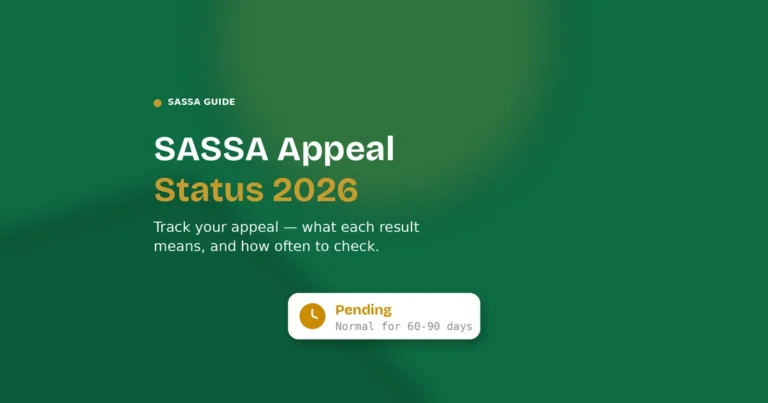
- Pending — ITSAA is still reviewing your appeal. This is normal for the first 60–90 days.
- Approved (Appeal Successful) — the decline has been overturned. SASSA will process backpay for the affected month(s).
- Declined (Appeal Unsuccessful) — ITSAA upheld the original decision. This is final for that specific month.
- Completed — a decision has been made. Log in to see whether it is approved or declined.
You will also receive an SMS notification when a decision is made.
For more ways to check (by phone or WhatsApp) and how often you should realistically check, see our Appeal Status Check guide.
What Happens After Your Appeal
If Your Appeal Is Approved
Your status changes to “Approved” and you receive backpay for every month that was overturned. The money is paid into the bank account on file — make sure your banking details are up to date at srd.sassa.gov.za.
Backpay is paid out on SASSA’s next scheduled payment run after approval — check your status page for the exact date rather than assuming a fixed number of weeks, since timing can vary.
If Your Appeal Is Declined
The ITSAA decision is final for that specific month — you cannot submit another appeal for the same month through ITSAA, and calling SASSA or resubmitting the same documents will not change a decision that has already been made.
However, a declined appeal for one month does not end your SRD grant permanently. Here is exactly what to do next, in order:
Step 1 — Understand why the appeal was declined
Check your status page at srd.sassa.gov.za/sc19/status for the specific reason. A declined appeal almost always means one of two things: the disqualifying factor in the database was still active when ITSAA reviewed your case (for example, you appealed while still showing as UIF registered), or the documents you submitted weren’t strong enough to counter the database flag.
Step 2 — Fix the underlying problem, not just the appeal
The most common reason appeals fail is that the underlying database issue wasn’t resolved before submitting. If UIF still shows you as registered, if Home Affairs still shows a mismatch, or if a bank deposit from the declined month is still showing as income — ITSAA will decline. Fix the root cause first:
- UIF registered: Get a letter from the Department of Employment and Labour confirming you are not an active UIF recipient
- Home Affairs mismatch: Visit Home Affairs in person and get written confirmation your records are corrected — then wait 7-14 days for the systems to sync before any further action
- Bank deposit flagged: Gather a sworn affidavit plus 3 months of bank statements clearly showing the deposit was a once-off, not recurring income
Step 3 — Future months are assessed independently
Your next month’s SRD application is a fresh assessment. If the disqualifying factor is now resolved, you may be approved automatically without any further action. Keep checking your status monthly — a declined appeal for March doesn’t affect April’s assessment at all.
Step 4 — High Court judicial review (last resort)
If you genuinely believe ITSAA made a procedural error — not just that you disagree with the outcome, but that the process itself was flawed — you have 180 days from the ITSAA decision to apply for judicial review at the High Court. This is a formal legal process, typically requires a lawyer, and is only worth pursuing if the stakes are high enough to justify the cost and time involved. For most single-month SRD declines, this is not a practical route.
Comparison Table: Decline Reasons at a Glance
| Decline Reason | Main Document Needed | Can You Appeal? | Success Rate | Fix Time |
|---|---|---|---|---|
| Alternative Income / Means Income | 3 months bank statements | Yes | High (if once-off transfer) | 60–90 days |
| UIF Registered | UIF confirmation letter from Dept of Labour | Yes | Very High | 60–90 days |
| NSFAS Registered | NSFAS end-of-funding letter | Yes | High | 60–90 days |
| Government Payroll | Termination letter / final payslip | Yes | High | 60–90 days |
| Existing SASSA Grant | Proof grant ended (from SASSA) | Maybe | Low (if grant still active) | Varies |
| Identity Verification Failed | Certified ID + Home Affairs visit | Maybe | Medium | 7–14 days + appeal |
| Age Eligibility | None | No | N/A | Apply for a different grant |
| Duplicate Application | None — call SASSA to resolve | Maybe | Medium | Varies |
| Banking Detail Mismatch | Bank account in your own name | Yes | High | A few days + appeal |
So, UIF Registered and NSFAS Registered declines have the strongest chance of success — both are common system errors with a clear, single document that resolves them. Age Eligibility is the only reason that genuinely cannot be appealed.
Common Appeal Mistakes to Avoid
Submitting without documents. A motivation alone is rarely enough. ITSAA needs evidence. Always attach the documents listed for your decline reason.
Arguing generally instead of specifically. “I am unemployed and need the money” does not address why the system flagged you. Name the specific decline reason and explain why it is incorrect.
Using the wrong phone number. The OTP is sent to your registered number. If you changed your number, update it at srd.sassa.gov.za before trying to appeal.
Appealing without fixing the underlying problem. If your decline reason is “Identity Verification Failed,” fix the mismatch at Home Affairs first. Appealing while the mismatch still exists guarantees a failed appeal.
Submitting duplicate appeals for the same month. This does not speed up the process. ITSAA reviews one appeal per month per applicant.
Waiting until the 90-day deadline. Appeals submitted in the last week before the deadline often face processing delays. Submit within 30 days.
Paying someone to appeal for you. SASSA appeals are free. Anyone asking for money is running a scam.
Tips for a Successful SASSA Appeal
Get the UIF letter before you need it. If you were ever formally employed, visit the Department of Employment and Labour proactively and get a confirmation letter. Keep it on your phone so you can upload it immediately if you are declined for UIF.
Download bank statements monthly. Most banking apps let you download PDF statements for free. Having 3 months of statements ready means you can appeal the same day you are declined.
Write your motivation in advance. Use the templates above, fill in your details, and save it as a note on your phone. When the appeal form asks for your motivation, paste it in.
Take a screenshot of everything. Screenshot your decline status, your appeal submission, and the reference number. If anything goes wrong, these screenshots are your proof.
Check your appeal status every 2 weeks. Do not wait 90 days to find out the result. Regular checking also ensures you catch any requests for additional information.
If declined on appeal, focus on the next month. A declined appeal is final for that month, but the next month’s assessment is completely independent. Fix the underlying issue and you may be approved automatically.
FAQs
- How do I appeal a SASSA declined decision? Submit at srd.sassa.gov.za/appeals/appeal within 90 days, with the documents matching your decline reason.
- How long does a SASSA appeal take? Typically 60–90 days for ITSAA to decide.
- Where do I submit a SASSA appeal online? srd.sassa.gov.za/appeals/appeal — the only official appeals portal.
- What documents do I need for a SASSA appeal? Depends on the decline reason — bank statements for income flags, a UIF letter for UIF declines, and so on (see the breakdown above).
- Can I appeal a SASSA decision after 90 days? No — appeals submitted after 90 days are automatically rejected.
- How do I check my SASSA appeal status? Log in at srd.sassa.gov.za/appeals/appeal with your ID and phone number.
- What happens if my SASSA appeal is successful? Your status changes to Approved and you receive backpay for the affected month(s).
- What happens if my SASSA appeal is declined? The decision is final for that specific month, but future months are assessed independently.
- Can I appeal for multiple months at once? No — each declined month needs its own separate appeal.
- Is the SASSA appeal process free? Yes, completely free — never pay anyone to submit one for you.
- What is ITSAA? The Independent Tribunal for Social Assistance Appeals, the body that reviews SASSA appeals independently.
- How do I get a UIF confirmation letter? Visit your nearest Department of Employment and Labour office and request one in person.
- Can I appeal if I received a family money transfer? Yes — appeal with 3 months of bank statements showing it was a once-off transfer, not income.
- What is the Twala ruling? A court ruling establishing that once-off family transfers shouldn’t count as income for SRD purposes.
- Can I go to court if my SASSA appeal fails? Yes — you have 180 days from the ITSAA decision to apply for High Court judicial review.
- How do I appeal a SASSA decision for UIF registered? Get a non-recipient confirmation letter from the Department of Employment and Labour and attach it to your appeal.
- What does “Appeal Pending” mean? ITSAA is still reviewing your case — normal for the first 60–90 days.
- What does “Appeal Completed” mean? A decision has been made — log in to see whether it was approved or declined.
- How do I appeal a SASSA status check declined? Same process — go to the appeals portal, select the declined month, and submit your evidence.
- Can someone else submit a SASSA appeal for me? It’s discouraged — the appeal requires your own ID and registered phone number for OTP verification.
Final Thoughts
The SASSA appeal process is straightforward once you know which documents to gather and how to write a clear motivation. The most important thing is to address the specific decline reason — not to make a general plea. UIF declines and income-related declines are the most common and the most frequently overturned, so if you fall into either of those categories, your chances of success are good.
Submit your appeal at srd.sassa.gov.za/appeals/appeal within 30 days, attach the right proof, and check your status every two weeks. If you need help understanding your decline reason, use the Error Lookup Tool on our SASSA Status Check page. If you need to speak to someone directly, see our Contact guide for every official channel.